An industry-shaped pipeline
Choose from 22 sales workflows with relevant stages, typed fields and qualification scores. Track each lead from inquiry to outcome.
 Trax Omni
Agents update leads by speaking Arabic, Urdu or English. Owners get the day on WhatsApp at 9 pm. Every lead, conversation and follow-up stays in one clear workspace.
22 industry workflows. Private roles. Your next chapter in sales.
After a call or a viewing, an agent says one sentence in Arabic, Urdu or English. Trax finds the lead and updates the budget, stage and follow-up. Wrong? Undo it within 24 hours.
Works in the app, on the website and as a WhatsApp voice note to your company number.
Gulf Arabic and Roman Urdu are understood without an AI subscription, including baajir, kal 4 baje, crore and AED.
Owners get calls, site visits, deals won and late follow-ups in one WhatsApp message every night.
Bayut, Property Finder, Dubizzle, Zameen and Graana lead emails become leads, with duplicates caught.
Practical tools for capturing interest, keeping conversations moving and understanding what your team needs next.
Choose from 22 sales workflows with relevant stages, typed fields and qualification scores. Track each lead from inquiry to outcome.
Route new inquiries across eligible employees. Avoid repeated imports, track ownership and keep the next action accountable.
Connect an authorized Gmail, Outlook or approved SMTP mailbox. Keep personal inbox conversations, reply drafts and follow-ups close to the lead.
Company owners see their whole business. Managers see their team’s records, and employees see their own leads, tasks and activity. Platform administration stays separate.
Use tasks, scheduled messages and step-by-step playbooks. Keep notes and stage changes together, with owner visibility into overdue work.
Review won revenue, weighted forecasts and individual activity. See the records behind the numbers and plan the next sales move.
Explore screens from the working CRM: the owner view, industry pipeline, forecasting and personal email setup.
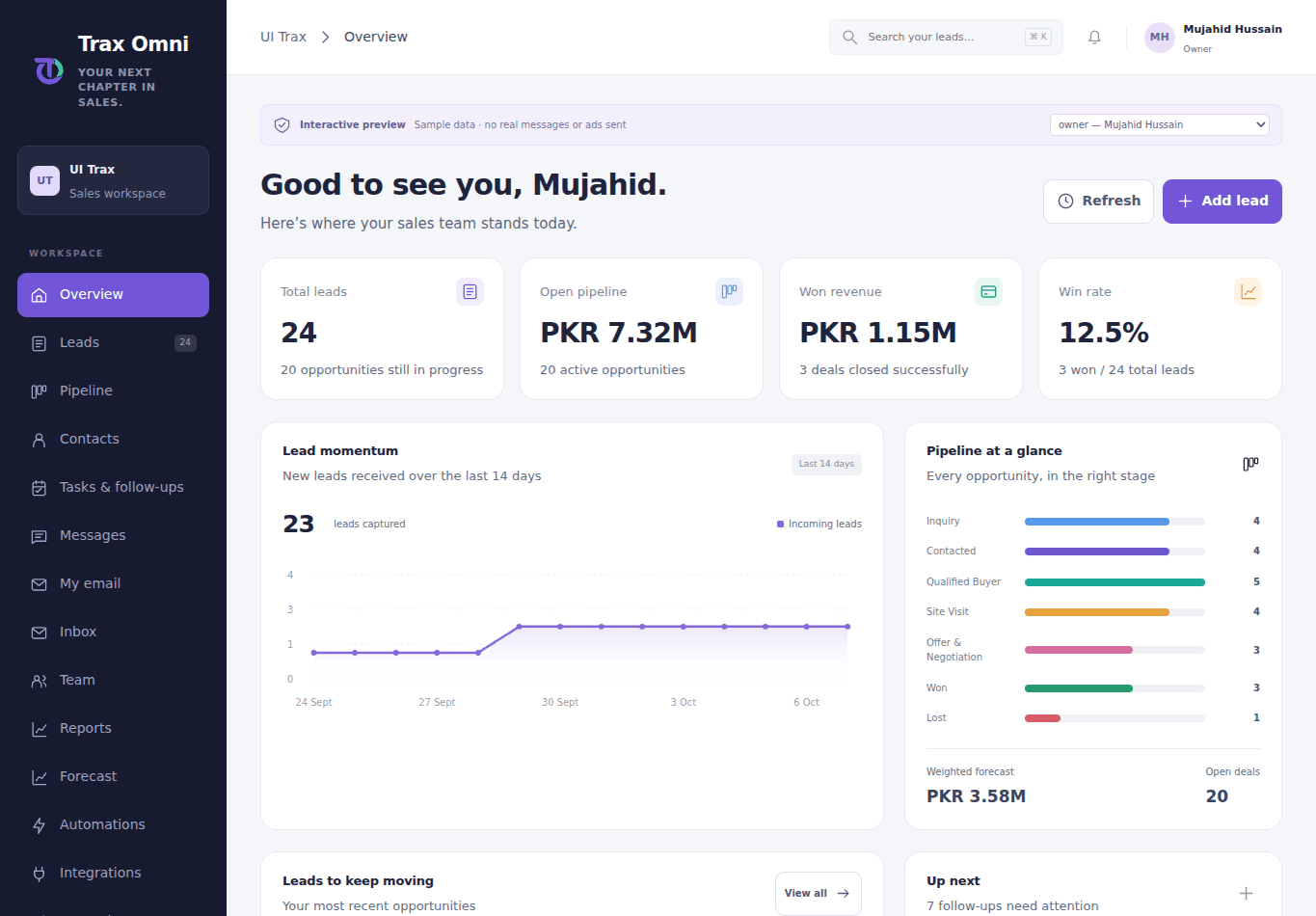
Your owner dashboard brings leads, pipeline value, won revenue and upcoming work together.
Check assigned leads, open a conversation and keep follow-ups moving from your phone. Owners have their company view; managers and employees have a focused workspace.
Use the responsive web workspace today. Mobile app release is in preparation.
Explore all features →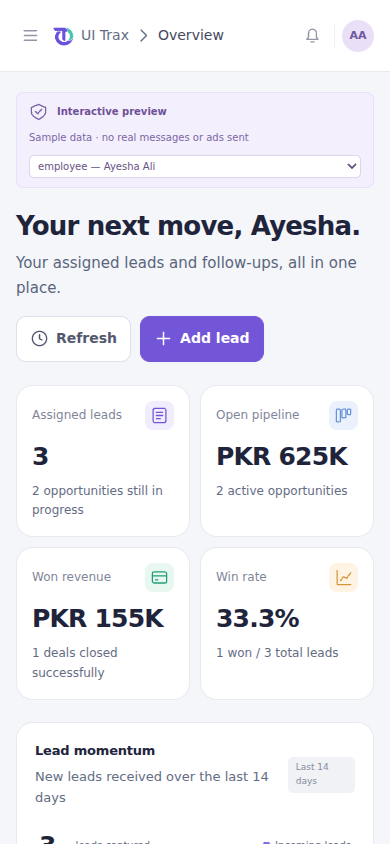
A simple start for owners, a focused daily workspace for the team.
Enter your name, business email and phone, select an industry and verify your email code before the owner account is created.
Add their name, email and role. They receive a secure, expiring link and set their own password. Each person can connect a personal sender.
Capture or import leads, assign them fairly, follow your industry stages and record progress. The owner sees the full company picture.
Choose an industry to explore its starting pipeline, data fields and first-response target. Templates organize sales work; they are not inventory, booking or accounting systems.
Qualify buyers, schedule viewings and track property negotiations.
First contact target: 15 minutes
Score based on recorded qualification and buying timeline.
Pricing is being finalized. A 15-day free trial is planned for launch; public activation is pending.
For independent sales owners
For growing sales teams
For expanding companies
The person who signs up becomes the company owner. The owner invites staff, manages company settings and sees company reports. Trax Omni's platform administration is separate.
Employees see only their assigned leads, contacts and their own tasks. Managers also see their team's records. Only the company owner sees all company records.
Yes, after you connect an authorized Gmail, Outlook or approved SMTP mailbox. Account verification and invitations use the platform's transactional email service.
No. It sets sales stages, typed fields, explainable scoring and follow-up rules. Booking availability, inventory, accounting and industry-specific regulatory workflows need separate implementation.
Meta lead capture requires an approved business app and Page authorization. TikTok supports approved advertiser authorization, regional Instant Form imports and paused lead-ad bundles with owner-confirmed publishing. Live provider approval and account permissions are required.
A focused start for you. An accountable workflow for your team.
Create your workspace ↗